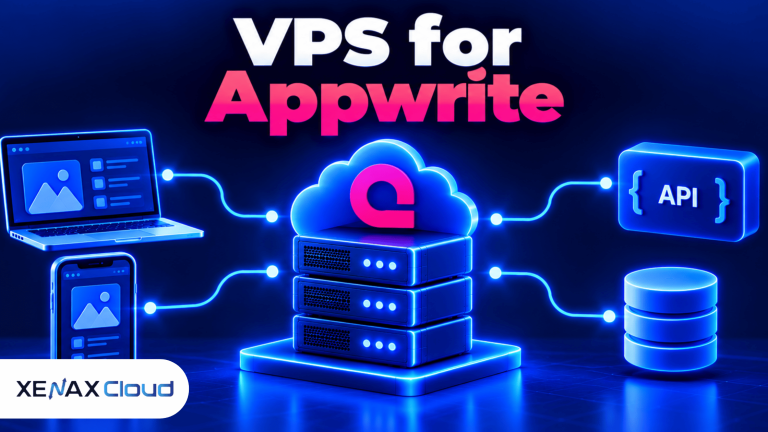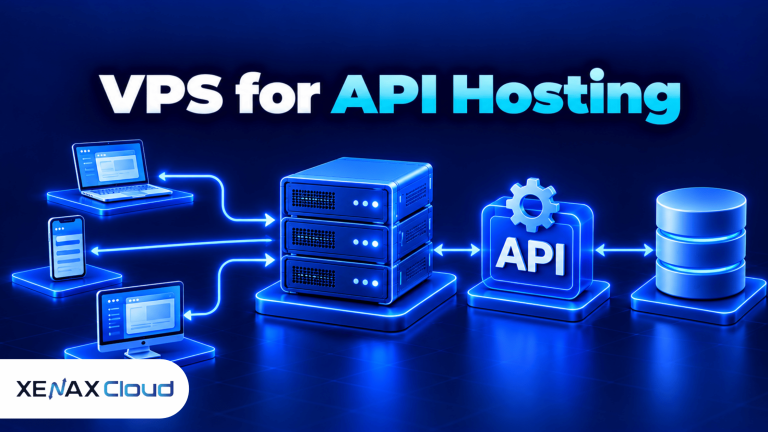
A VPS for API hosting is a virtual private server that runs an application programming interface with allocated computing resources and configurable software. It lets developers manage the runtime, web server, network rules and deployment process instead of relying on a shared application platform with limited system access.
For an Indian startup, SaaS company or development agency, the right server depends on what the API does, how many requests it receives, how much data each request processes and whether it depends on a database or external service. Choosing a VPS by RAM alone can leave an API slow because of CPU limits, database bottlenecks or inefficient application code.
This article explains how to choose a server, deploy a REST API, secure its endpoints and decide when a larger configuration is justified.
What Does a VPS for API Hosting Actually Provide?
A VPS for API hosting provides a virtual machine where you control the application environment, system packages, web server and deployment settings. Unlike a basic shared hosting account, a VPS gives you root access to configure supported software and services.
An API (application programming interface) is a defined interface that allows software systems to exchange data or request operations. A REST API is an API style that uses resources and standard HTTP methods, commonly including GET, POST, PUT, PATCH and DELETE.
A VPS (virtual private server) is a virtual machine that runs on a physical server with allocated virtual CPU, memory and storage. Xenax Cloud uses KVM virtualisation for its VPS plans, with full root access, one IPv4 address, a 500 Mbps network port and weekly backups included.
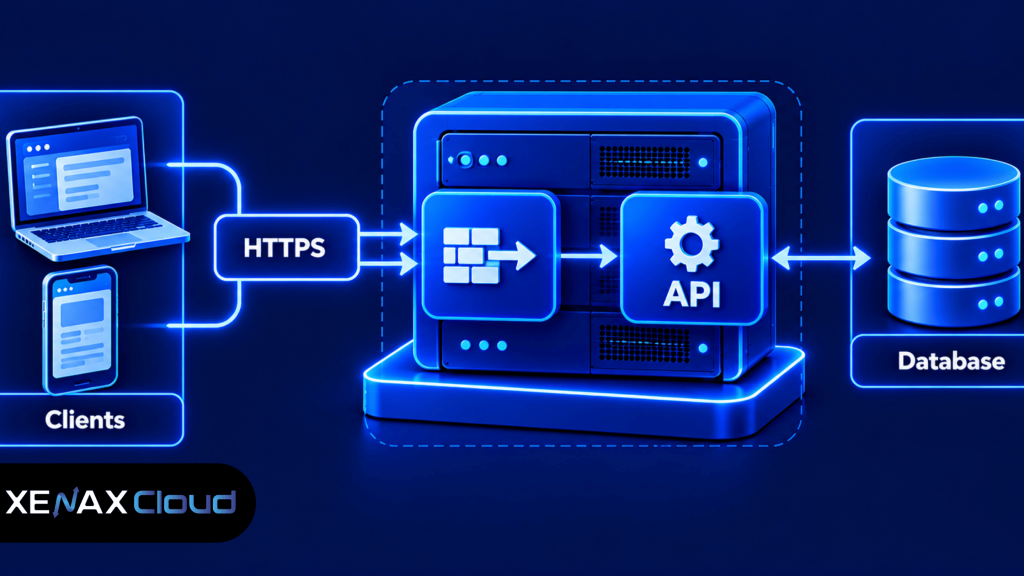
A typical API deployment contains several components:
- Application runtime: Executes your API code, such as a supported Node.js, Python, PHP, Java or Go application.
- Web server or reverse proxy: Receives HTTP requests and forwards them to the application process.
- Database: Stores records when the API needs persistent data.
- TLS certificate: Enables HTTPS so data is encrypted in transit.
- Monitoring and logs: Help identify slow requests, application errors and resource pressure.
The VPS hosts these components if its operating system and resource capacity support them. You remain responsible for application configuration, access control, updates and database administration unless your chosen service arrangement explicitly covers those tasks.
Which VPS Specifications Matter for API Hosting?
CPU, RAM, storage performance and network capacity all affect API performance, but the correct balance depends on request processing and concurrent workload.
| Specification | What it affects | When to increase it |
| vCPU | Request processing, computation and concurrent tasks | CPU remains heavily utilised during normal peak traffic |
| RAM | Application processes, caches and database memory | Memory pressure causes swapping, crashes or slower responses |
| NVMe storage | File access, logs, application files and local database I/O | Storage latency or database I/O becomes a bottleneck |
| Network port | Maximum available network link capacity | Measured traffic approaches available capacity |
| Storage capacity | Application files, logs and locally stored data | Projected data and log growth approaches usable space |
A VPS with additional RAM will not necessarily fix an API that spends most of its time waiting for a slow database query or an external payment service. Measure request latency, error rate, CPU use, memory use and database performance together before upgrading.
Xenax Cloud provides three VPS families that address different resource priorities:
- Speed VPS: Eight sizes, from 2 vCPU, 4 GB RAM and 40 GB NVMe storage up to 32 vCPU, 64 GB RAM and 200 GB storage.
- General VPS: Four sizes, from 2 vCPU and 8 GB RAM up to 16 vCPU and 64 GB RAM, with more RAM per vCPU.
- Gold VPS: Eight sizes, from 2 vCPU and 4 GB RAM up to 32 vCPU and 64 GB RAM, using high-frequency Xeon Gold processors.
These specifications are starting points for planning, not guarantees of a particular request rate. API throughput also depends on framework overhead, payload size, database design, external dependencies, caching and the number of concurrent requests.
How to Choose VPS Resources for an API
Choose a VPS by estimating the workload, measuring a realistic test and leaving enough capacity for normal traffic variation.
A useful sizing process begins with the application itself rather than a visitor estimate. An endpoint that returns a small cached JSON object may consume little CPU, while an endpoint that generates reports, processes images or runs complex queries may require substantially more resources.
Use this practical decision rule:
- Choose a smaller configuration when the API has light request processing, low concurrency and little in-memory data, and monitoring shows CPU and RAM headroom.
- Consider General VPS when the API or its supporting services need more memory relative to CPU capacity.
- Consider Speed VPS when the application benefits from NVMe storage and its CPU-to-memory balance suits the workload.
- Consider Gold VPS when testing indicates that CPU performance is a constraint and a high-frequency Xeon Gold configuration fits the application.
- Choose a larger size when normal peak traffic produces sustained resource pressure, not simply because traffic might grow someday.
For database-heavy APIs, decide whether the database should run on the same VPS or on a separate managed or self-administered database service. Keeping both on one server can simplify deployment, but it also makes them compete for CPU, RAM, storage I/O and backups.
How to Deploy a REST API on a VPS
Deploying a REST API on a VPS involves preparing the operating system, installing the runtime, configuring a reverse proxy and restricting network access.
The exact commands depend on your Linux distribution and application framework. The following steps describe the deployment sequence; use the official installation instructions for the specific runtime and operating system you choose.
- Select a Linux image supported by your application and runtime.
- Update operating-system packages before installing the application.
- Install the runtime, application dependencies and required database client.
- Configure environment variables and secrets outside the source code.
- Run the API under a dedicated service account or process manager.
- Configure a reverse proxy and enable HTTPS with a valid TLS certificate.
- Restrict inbound traffic to the required ports and trusted administration paths.
- Test endpoints, logging, restart behaviour and backup restoration before launch.
For example, a Python API may use a framework-specific application server behind Nginx, while a Node.js API may run as a managed service behind the same type of reverse proxy. The process manager should restart the service after an unexpected exit and send logs to a location that can be monitored.
Avoid exposing a development server directly to public traffic. Production deployments should use a supported application server, HTTPS, restricted administrative access and configuration appropriate to the framework.
For a Linux host, a firewall policy might allow HTTPS publicly while restricting SSH administration to trusted source addresses. The exact commands depend on the firewall tool and distribution, so verify the rules before applying them remotely to avoid locking yourself out.
How Should You Secure an API Hosted on a VPS?
A secure API deployment uses HTTPS, authentication where required, input validation, least-privilege permissions and timely patching. A VPS provides configuration control, but security depends on how the application and operating system are maintained.
Start with the transport layer. Configure HTTPS using a trusted TLS certificate, redirect HTTP requests where appropriate and renew certificates before they expire. HTTPS encrypts traffic in transit, but it does not replace authentication or authorisation.
Apply the following controls:
- Authenticate clients: Use suitable mechanisms such as scoped API keys or OAuth-based access, depending on the application’s users and threat model.
- Authorise each operation: Check what each identity may read or change; authentication alone does not establish permission.
- Validate input: Enforce data types, length limits and permitted values before queries or business operations run.
- Protect secrets: Store database credentials and API keys outside publicly accessible files and source repositories.
- Limit exposure: Open only required service ports and restrict administrative access.
- Patch regularly: Update the operating system, application runtime, dependencies and reverse proxy.
- Back up data: Keep backups separate from the primary workload where possible and test restoration procedures.
Do not put passwords, access tokens or sensitive customer information into application logs. Logs should help diagnose failures without creating another source of confidential data.
For API endpoints that change records, also consider request limits, replay protection where appropriate, idempotency for retryable operations and audit logs for sensitive actions. Rate limits should reflect legitimate client behaviour; a limit that is too strict can reject valid bursts, while one that is too loose may not control abuse.
API Hosting India: What Should Indian Businesses Check?
API hosting India decisions should consider the location of the server, user latency, support availability, data handling and the team’s ability to administer the environment.
Xenax Cloud operates one Tier-III data centre in Banda, Uttar Pradesh, India. It does not operate data centres in the United States, Singapore or Europe, so businesses should not assume that selecting a Xenax Cloud VPS places their API in another country.
An Indian hosting location may be appropriate when the application serves Indian users or when its operational requirements favour infrastructure in India. However, the location alone does not guarantee low latency for every user: routing, the user’s internet provider, API dependencies and the distance between the server and external services also matter.
Before choosing a VPS, check:
- Data requirements: Determine which personal, financial or business records the API processes and whether contractual or regulatory obligations apply.
- Traffic geography: Identify where API clients and dependent services are located.
- Support needs: Confirm how you can get help with infrastructure and connectivity issues.
- Payment and billing: Xenax Cloud bills in Indian rupees and supports Indian payment gateways including UPI, cards and net banking, as well as an international gateway for foreign cards.
- Operations: Confirm who will apply updates, review logs, manage database backups and respond to incidents.
Hosting location does not itself establish regulatory compliance. For personal data or regulated workloads, review the applicable legal requirements, data-processing agreements and security controls before deployment.
Worked Example: A Jaipur SaaS Startup Hosting a REST API
A Jaipur SaaS startup serving customer records and dashboard requests should choose a VPS based on measured concurrency, database activity and memory requirements rather than assuming a particular number of users determines server size.
Suppose the startup runs a small REST API, a reverse proxy and a lightweight application process on one Linux server. It needs root access to configure services and firewall rules, and its team can administer the database and operating system. A Speed VPS with 2 vCPU, 4 GB RAM and 40 GB NVMe storage is a reasonable candidate for initial testing if the application and database fit within that capacity.
The next smaller configuration is not listed in Xenax Cloud’s Speed VPS specifications, so it would be inaccurate to claim that a specific lower plan fails. Instead, compare the candidate with actual requirements: measure memory use during peak requests, confirm the database fits in available storage, and check CPU saturation under representative concurrency.
If memory is the main constraint, test a General VPS configuration that starts with 2 vCPU and 8 GB RAM. If CPU performance or storage I/O is the constraint, compare the workload against Speed VPS or Gold VPS characteristics before upgrading.
This example is not a universal recommendation. If the API processes large files, runs expensive analytics, serves sustained high concurrency or requires a separately sized database, test a larger configuration or separate the database from the application host.
Xenax Cloud’s VPS hosting plans provide Linux KVM virtual servers with full root access, one IPv4 address, a 500 Mbps port and weekly backups included. Review the family and resource size against your measured workload before placing an order.
VPS for API Hosting: FAQs
Is a VPS good for API hosting?
Yes, a VPS is suitable for many APIs because it gives developers control over the runtime, dependencies, networking and deployment process. The right size depends on request complexity, concurrent traffic, memory use and database requirements. Small APIs can start with modest resources, while compute-heavy or database-intensive services need testing and potentially larger configurations.
How much RAM does an API server need?
An API server’s RAM requirement depends on the runtime, framework, concurrent requests, caching and database workload. Xenax Cloud Speed VPS begins with 4 GB RAM, while General VPS begins with 8 GB RAM. Measure peak memory use and leave room for the operating system and supporting services before choosing a configuration.
Can I host a REST API and database on the same VPS?
Yes, you can host a REST API and its database on the same VPS if the available CPU, RAM and storage can support both workloads. This can simplify deployment, but database activity competes with API processing for resources. Keep independent backups and consider separating the database when resource contention or operational requirements justify it.
Is Linux or Windows better for API hosting?
Linux is a common choice for APIs built with Node.js, Python, PHP, Go and many Java frameworks, while Windows may be necessary for applications that depend on Windows-specific components. Choose the operating system supported by your runtime and deployment tooling. Xenax Cloud VPS plans provide Linux environments; check application compatibility before ordering.
How do I know when to upgrade my API VPS?
Upgrade when monitoring shows sustained CPU pressure, memory exhaustion, storage bottlenecks or unacceptable response latency under normal peak traffic. Check application traces and database queries first because inefficient code can mimic insufficient server capacity. If resource pressure remains after optimisation, test a larger VPS configuration under representative request loads.
Is VPS hosting suitable for API hosting in India?
Yes, VPS hosting in India can suit APIs serving Indian users, provided the server’s resources, network performance and security controls meet the application’s requirements. Xenax Cloud operates its Tier-III data centre in Banda, Uttar Pradesh. Confirm data-handling obligations and test latency from the locations where your API clients actually connect.
How can I secure a REST API server?
Secure a REST API server with HTTPS, suitable authentication, operation-level authorisation, input validation, restricted administrative access and regular patching. Store credentials outside source code, limit exposed ports and avoid logging sensitive values. Maintain backups and test recovery, because preventing unauthorised access does not protect against every form of data loss.
For a new API deployment, compare Xenax Cloud Speed VPS, General VPS and Gold VPS against your runtime, database needs and measured peak resource use. Start with the smallest configuration that passes realistic workload tests, then increase resources when monitoring identifies a genuine bottleneck.