If you want to buy RDP with UPI, the main question isn’t just whether the payment is quick. You also need to check the RDP price, Windows environment, server location, access details, refund terms and how quickly the server is actually provisioned.
Xenax Cloud lists RDP Speed KVM from ₹649/month. Its RDP infrastructure is hosted at its single data centre in Banda, Uttar Pradesh, India. The supplied information does not establish a guaranteed instant activation time or confirm that UPI is available for every checkout flow, so payment-method and provisioning availability should be checked at the time of purchase.
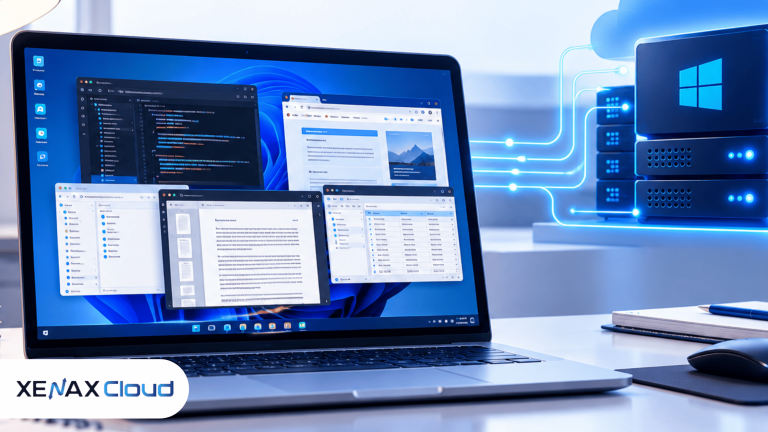
RDP stands for Remote Desktop Protocol. It lets you connect to a remote Windows computer and use its desktop, applications and files from another device. Microsoft describes RDP as a protocol for transferring display information and user input between a client and a remote computer.
Buy RDP with UPI: What to Check Before Paying
The payment method is only one part of the purchase decision.
Before paying for an RDP, check the plan’s CPU, RAM, storage, operating system and intended use. These resources determine what you can reasonably run on the remote machine.
You should also check where the hardware is located. Xenax Cloud operates one data centre in Banda, Uttar Pradesh, India, so an RDP purchased from Xenax Cloud is not an RDP hosted in the US, Singapore or another foreign location.
For Indian users, this distinction matters because the physical server location affects network distance and therefore connection latency.
Also check whether the service is suitable for the software you plan to run. A lightweight browser session has different requirements from development tools, accounting software or other desktop applications.
What Is RDP Payment UPI?
RDP payment UPI refers to paying for an RDP service using India’s Unified Payments Interface.
UPI is a payment system that supports bank-to-bank transfers using methods such as a UPI ID or QR code. NPCI’s BHIM documentation describes UPI as supporting instant bank-to-bank payments and payment through a virtual payment address or QR scan.
The important distinction is between payment speed and server provisioning speed.
A UPI transaction may complete quickly, but that doesn’t automatically mean an RDP server is already configured and ready for connection. Provisioning can depend on the provider’s ordering and server setup process.
So when evaluating an RDP provider, don’t treat “UPI payment” and “instant RDP activation” as the same promise.
How to Buy an RDP Using UPI
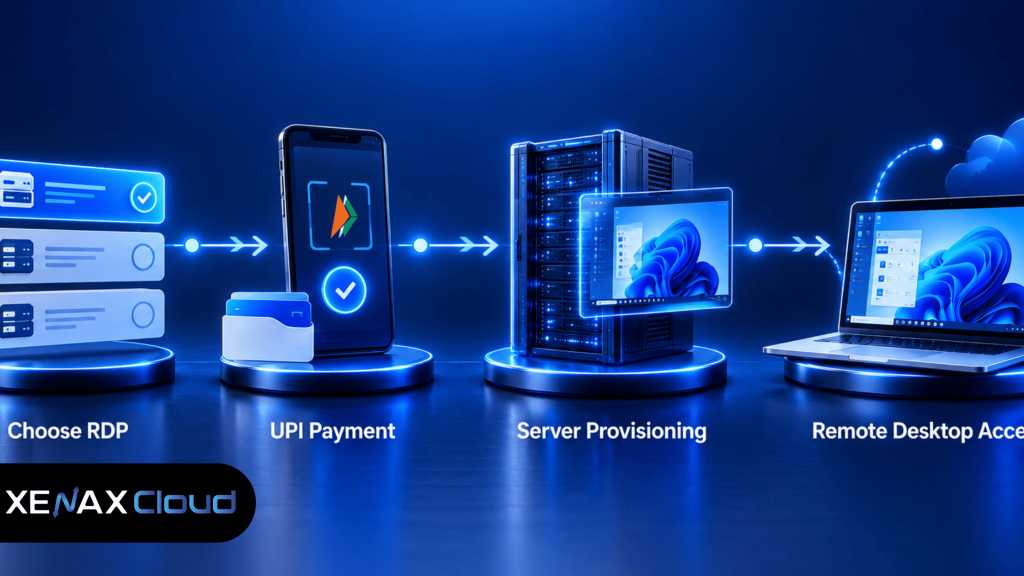
If UPI is available in the provider’s checkout, the purchase process generally follows a simple sequence.
1. Select the RDP plan
Start with the resources you actually need. Xenax Cloud’s supplied pricing lists RDP Speed KVM from ₹649/month.
Don’t choose a plan only because it has the lowest monthly price. Consider the applications you’ll run and whether the available resources are sufficient.
2. Review the order details
Before payment, check the selected billing period, plan resources and operating system details shown at checkout.
Also make sure you’re purchasing an RDP rather than a VPS if you specifically need a Windows remote desktop environment.
3. Select UPI if available
If UPI is presented as a payment option, select it and complete the payment through your preferred UPI app or supported payment flow.
Keep the transaction reference available until the order has been confirmed.
4. Wait for provisioning confirmation
After successful payment, follow the provider’s provisioning process. Don’t assume that a completed UPI transaction means the server is immediately ready.
Once the RDP has been provisioned, you should receive the connection information required to access the remote Windows environment.
5. Connect from your device
On Windows, you can use the Remote Desktop Connection application and enter the remote computer’s name or IP address before signing in. Microsoft documents this basic connection process for Remote Desktop.
You can also connect from supported mobile and other operating systems using appropriate Remote Desktop clients.
Instant RDP India: What Does “Instant” Actually Mean?
The phrase instant RDP India can mean different things on hosting websites.
Sometimes it refers to automated provisioning, where the server is prepared shortly after an order is paid. In other cases, it simply means that the provider offers an online ordering process instead of requiring a manual sales conversation.
For a buyer, the useful question is not whether a page says “instant.” Ask when the login details will actually be available.
If the provider doesn’t publish a guaranteed provisioning time, don’t turn the marketing term into a guarantee yourself.
This is particularly important if you need an RDP for a deadline-sensitive task. Payment confirmation, server allocation, Windows installation and credential delivery can all be separate steps.
What Can You Use an India RDP For?
An RDP gives you access to a remote Windows environment rather than simply providing web hosting.
That makes it useful when the software you need expects a Windows desktop or when you want to keep a working environment available remotely.
Common examples include:
- Remote access to Windows applications
- Browser-based work from a remote machine
- Software testing
- Remote administration
- Development environments that require Windows
- Accessing files and applications from multiple locations
RDP does not mean that every application will perform equally well. CPU, RAM, storage, network quality and the software itself all affect the experience.
If you’re mainly hosting websites or APIs, a VPS may be more appropriate than an RDP. Xenax Cloud lists VPS Speed KVM from ₹599/month, so the choice should be based on the workload rather than the name of the product.
Security Checks Before Using Your RDP
Once you receive RDP access, security becomes your responsibility as well as the provider’s infrastructure responsibility.
Use a strong, unique password for the remote account. Don’t reuse credentials from your email, hosting panel or other services.
Microsoft recommends keeping Network Level Authentication enabled where possible because it requires authentication before a remote session is established.
You should also avoid sharing RDP credentials through public chats or storing them in unsecured text files.
If you’re managing sensitive files or business applications, review clipboard, drive and other device-redirection settings carefully. Microsoft notes that RDP configurations can allow local resources such as clipboard or drives to be shared with the remote environment.
RDP Pricing: Is ₹649 Enough for Your Workload?
Xenax Cloud’s supplied price list starts RDP Speed KVM at ₹649/month.
That starting price should be treated as the entry point rather than a promise that every workload will fit the same resource profile.
For basic remote desktop work, the starting tier may be relevant. Heavier applications can require more CPU, RAM or storage, so compare the actual plan specifications before ordering.
Xenax Cloud also states that every plan carries a 15-day money-back window. Review the applicable refund terms before purchase so you understand how the policy applies to the service you’re ordering.
RDP vs VPS: Which One Fits the Job?
The difference is mainly in how you intend to use the server.
An RDP is useful when you want a remote graphical Windows desktop that you can operate much like a physical PC.
A VPS is a virtual private server where you generally manage the operating system and server environment yourself. It’s often more suitable for websites, applications, databases and server-side development.
If your requirement is “I need to log into a remote Windows desktop and use applications,” RDP is the more direct match.
If your requirement is “I need a server to host my application or website,” start by evaluating VPS hosting instead.
FAQs
Can I buy an RDP with UPI?
If UPI is shown as an available payment method during checkout, you can use the supported UPI payment flow. Check the current checkout options before placing the order because payment methods can change.
Does UPI payment mean the RDP will be instant?
No. UPI payment and RDP provisioning are separate steps. A successful payment does not by itself establish a guaranteed activation time.
What is the starting RDP price at Xenax Cloud?
The supplied Xenax Cloud pricing lists RDP Speed KVM from ₹649/month.
Is an India-hosted RDP suitable for Indian users?
It can be suitable when you want a remote Windows environment hosted in India. Xenax Cloud’s single data centre is in Banda, Uttar Pradesh, India.
What should I do if my RDP connection doesn’t work?
First verify the server address, username, password, network access and whether the remote service is running. Microsoft also documents prerequisites for connecting to a remote Windows computer, including network access, permitted user accounts and firewall access.
The Next Step
If your requirement is a remote Windows desktop, compare the available RDP resources first and then check the current checkout payment methods, including UPI if that’s your preferred option.
Xenax Cloud’s listed RDP pricing starts at ₹649/month, with a 15-day money-back window on every plan under the supplied terms. The Indian RDP page is the relevant product page to review before ordering.