India’s data center boom in 2026 means more capacity, more network routes and more choice of hosting inside the country. For a small business, the practical result is simple: a data center in India keeps your website, software and data a few milliseconds from Indian users, and you no longer need to host abroad to get modern infrastructure.
This guide explains what is being built, why location matters for speed, and how to check any host’s data center before you buy.
How fast is India’s data center capacity growing?
India’s data center capacity is growing faster than at any time before, driven mainly by AI workloads and large cloud providers. Industry reports published in November 2026, such as Cushman & Wakefield’s, put operating capacity at close to 1.8 gigawatts by mid-2026, with more than twice that again under development.
Recent announcements reported in the trade press show where the building is happening:
| Month (2026) | Reported project |
|---|---|
| October | A large AI cloud region leasing capacity in Navi Mumbai |
| October | A new 52 MW data center under construction in Chennai |
| November | A 22 MW data center opened in Noida |
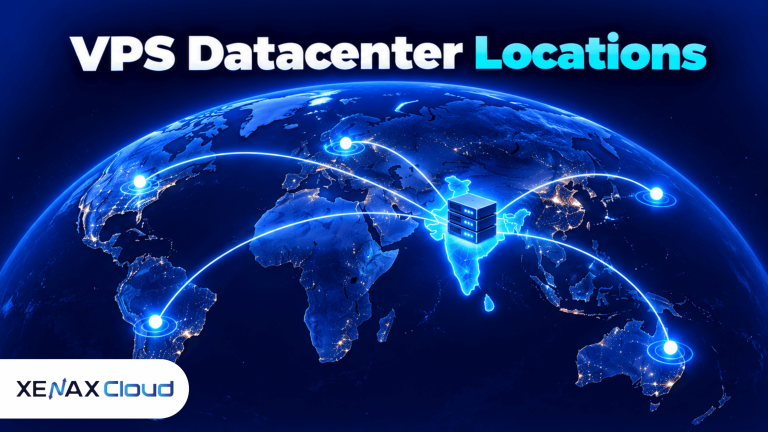
Mumbai and Navi Mumbai remain the largest cluster because most undersea internet cables land there. Chennai, Noida, Hyderabad and Pune are growing fast. Smaller cities such as Lucknow and Visakhapatnam also appear in announcements, usually as edge sites that bring content closer to users in those regions.
Why does a data center in India make websites faster?
Hosting in India makes websites faster for Indian visitors because distance adds delay to every round trip, and a page load needs many round trips. Light in fibre cannot travel faster, so the only way to cut that delay is to move the server closer.
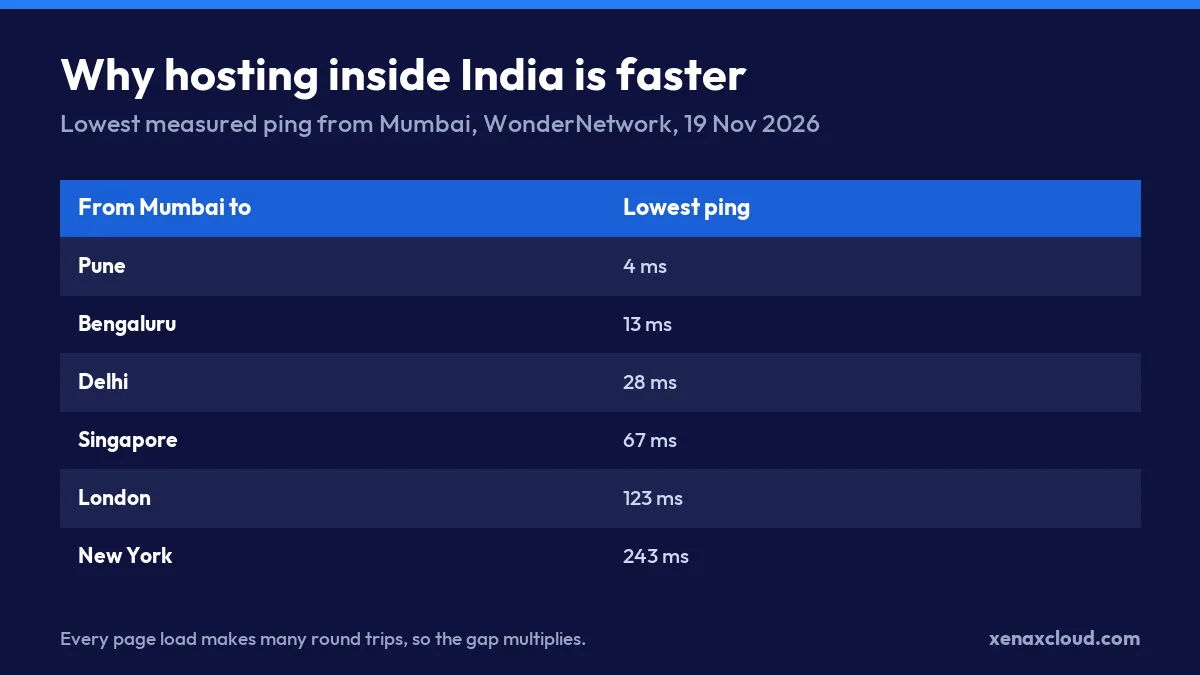
From Mumbai, a server answers users in Pune in about 4 ms and in Delhi in under 30 ms. The same users reaching a server in Singapore wait about 67 ms per trip, and New York about 243 ms. A page that needs 20 round trips adds well over a second when hosted in the US.
You can test this yourself from any Windows or Linux machine:
ping -c 5 example.comOn Windows use ping -n 5 example.com. The time= value in each reply line is the round trip in milliseconds. Run it against your current website and against a test address from an Indian host to compare.
Does the AI boom help small businesses?
Mostly indirectly. The largest new buildings are leased to AI and big cloud companies, not to small hosts. But they bring new fibre routes, more power and more peering inside India, which shortens paths between Indian networks and keeps more traffic in the country.
The other effect is choice. More capacity in more cities means more Indian hosts can offer servers in India at fair prices, so there is less reason to accept a server in Europe or the US just because a global brand placed it there. If your business also wants a cloud desktop instead of office PCs, see what is VDI.
Does hosting in India help with Indian rules?
Hosting in India makes several Indian rules easier to meet, even where it is not strictly required. The CERT-In directions ask companies to keep 180 days of logs within India, which is automatic when the server is here; see our CERT-In directions guide. The DPDP Rules do not force all data to stay in India, but Indian hosting simplifies audits and customer questions, as explained in our DPDP compliance checklist.
How to check a host’s data center before you buy
Check four things before choosing a host: the data center’s tier rating, the network delay to your users, the backup policy and how support works. Marketing pages rarely show all four, so ask.
- Tier rating. Tier III means the facility can be maintained without shutting down servers, with redundant power and cooling paths.
- Delay to your users. Ping a test IP from your office and from a mobile connection.
- Backups. How often, where they are stored and whether restores cost extra.
- Support. Hours, channels and whether a person answers at night.
- Real products. Confirm the plan you want exists at the advertised price before you plan around it.
Xenax Cloud servers run in a Tier-III facility in India, with weekly backups included and 24/7 support by chat and tickets.
How to move your website to a host in India
Moving a website to an Indian server is a routine job that most small sites finish in an evening, with no downtime if you follow the order below.
- Order the new server and note its IP address.
- Copy the site and database. For WordPress, a migration plugin or a manual copy of the files plus a database export works.
- Test before switching. Edit your computer’s hosts file to point the domain at the new IP and check every important page, form and checkout.
- Lower the DNS TTL a day before, so the change spreads quickly.
- Switch the DNS record to the new IP and keep the old hosting for a week.
- Check email settings. If email runs at the old host, move the MX records separately or keep them pointing where they are.
After the move, run the same ping test from your office and compare. Indian visitors should see pages start loading noticeably sooner, especially on mobile networks where every extra round trip hurts.
Which plan suits a small business?
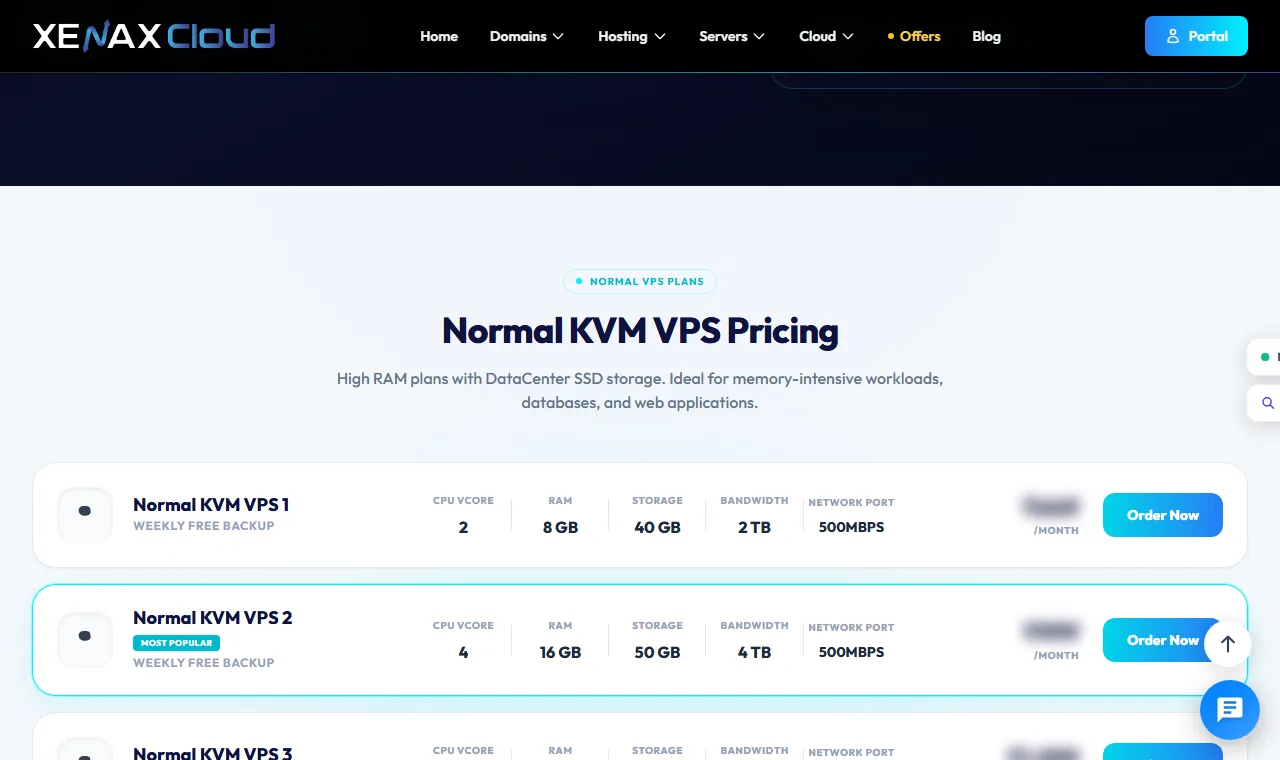
For a business website, online store, API or automation, a Linux VPS is the usual starting point. For Tally, billing or other Windows software used by a small team, a Windows RDP server fits better. Size by RAM first: 4 GB covers most small sites and a few office users. Start with the smaller plan, watch memory use for a week at your busiest hour, and move up only when the numbers say so.
Data center in India: FAQs
Which city has the most data centers in India?
Mumbai, including Navi Mumbai, has the largest share because most international internet cables land there. Chennai, Noida, Hyderabad and Pune are the other big clusters.
Is a data center in India better than Singapore for Indian users?
For users in India, yes, because the round trip is shorter. Singapore is about 67 ms from Mumbai, while Indian cities are a few milliseconds to about 30 ms away.
What does Tier III mean?
A Tier III data center has redundant power and cooling paths, so equipment can be maintained without switching servers off.
Do I need an Indian data center for compliance?
Not always. DPDP does not require all data to stay in India, but CERT-In expects logs in India and some sectors have their own rules. Indian hosting makes most of these simpler.
How can I test a host’s speed before buying?
Ask for a test IP address and ping it from your office and phone. Compare the times with your current host.
If most of your customers or staff are in India, host your website or business software on a Xenax Cloud VPS or Windows server in our Tier-III Indian data center and test the difference with a simple ping before and after the move.