VDI server requirements come down to four numbers: CPU cores, RAM, disk speed and network bandwidth, all multiplied by the number of people logged in at the same time. For Windows desktops, RAM runs out first: plan about 2 GB for Windows Server plus 1 to 4 GB per user, on fast SSD or NVMe storage.
This guide gives planning figures for each resource, a step-by-step sizing method and a worked example for an eight-person office, so you can match your VDI server requirements to a real plan.
What decides VDI server requirements?
Three things decide VDI server requirements: how many people work at the same time, what software they run, and whether they share one server or each have their own. Total staff count matters less than peak simultaneous users.
A Nagpur distributor with 12 staff in two shifts never has more than seven people logged in at once. Size for seven, not twelve.
Before sizing, list for each user:
- The programs they keep open (Tally, Excel, browser, CRM, PDF tools).
- How many browser tabs they usually have.
- The size of the files they open.
- Whether they work at the same hours as others.
If you are still deciding between a shared server and a desktop per person, read VDI vs Remote Desktop first, because the answer changes the sizing.
How much RAM does a VDI server need?
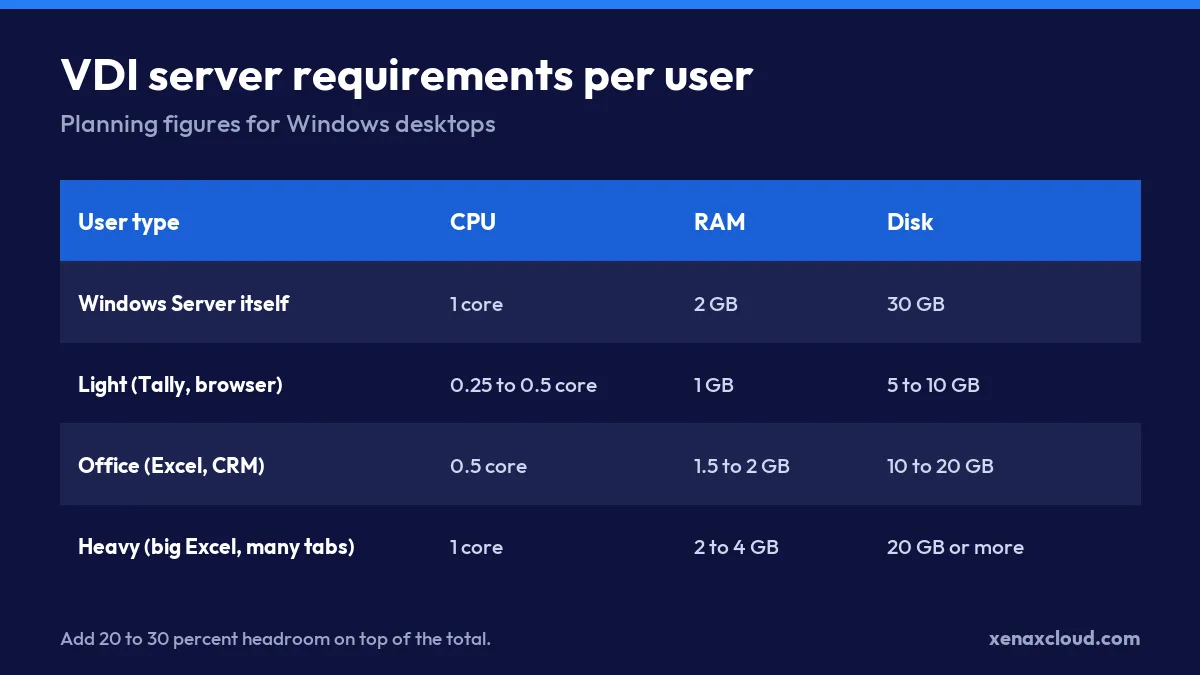
A VDI server needs about 2 GB of RAM for Windows Server itself, plus 1 GB per light user, 1.5 to 2 GB per office user and 2 to 4 GB per heavy user. Add 20 to 30 percent headroom so the server does not start swapping to disk.
Modern browsers are the hidden RAM cost. A user with 15 Chrome tabs open can use more memory than Tally and Excel together. If staff live in web apps such as GST portals, marketplaces and CRMs, treat them as heavy users.
How many CPU cores does a VDI server need?
Plan roughly one CPU core for every two to four light users, one core per two office users and one core per heavy user, plus one core for Windows. Office work is bursty: people type, read and click, so cores are shared well between users.
Signs that CPU is your limit:
- Task Manager shows CPU above 80 percent for long stretches during working hours.
- Typing in Excel lags while RAM still has free space.
- One user’s report or export slows everyone at the same time.
When this happens, a larger plan with more cores helps more than more RAM.
Which disk type does a VDI server need?
A VDI server needs SSD or NVMe storage, because many users open files, load programs and write temporary data at the same time. Spinning hard drives cannot handle that many small reads and writes, and logins become slow.
For capacity, plan about 30 GB for Windows and updates, plus 5 to 20 GB per user for their profile, downloads and documents. Data such as Tally companies or shared folders should be counted separately. Keep at least 20 percent of the disk free, because Windows updates need room.
To see disk space on the server from PowerShell:
Get-PSDrive -PSProvider FileSystem | Select-Object Name, @{n="UsedGB";e={[math]::Round($_.Used/1GB,1)}}, @{n="FreeGB";e={[math]::Round($_.Free/1GB,1)}}The output shows each drive with used and free space in GB. Check it weekly in the first month.
How much bandwidth does each VDI user need?
For office work, each Remote Desktop user needs modest bandwidth, usually well under 1 Mbps on average, because RDP sends only changed parts of the screen. Video, animations and graphics work need several times more, so test those programs before you commit.
Two places need bandwidth:
- The user’s own internet: a normal home broadband or 4G connection is fine for Tally and Excel.
- The server’s port: with many users, make sure the server’s network port and monthly bandwidth cover everyone. Plan boxes list both.
Latency matters as much as speed. A server in India keeps the round trip short for Indian users, so typing and scrolling feel immediate. Our guide on using RDP on mobile also covers what to expect on a phone connection.
Worked example: sizing a server for eight office users
An Indore pharma distributor wants one shared server for eight people who work in Marg-style billing software, Excel and a browser at the same time.
| Item | Calculation | Result |
|---|---|---|
| Windows Server | Fixed | 2 GB RAM, 1 core |
| 6 office users | 6 × 1.5 GB, 6 × 0.5 core | 9 GB, 3 cores |
| 2 heavy users | 2 × 3 GB, 2 × 1 core | 6 GB, 2 cores |
| Subtotal | 17 GB, 6 cores | |
| Headroom 25 percent | about 21 GB, 8 cores | |
| Disk | 30 GB + 8 × 15 GB + 40 GB data | 190 GB SSD |
The nearest plan with at least 24 GB RAM and 8 cores fits. Because eight people work at once on one shared server, the firm also needs RDS client access licences for eight users, and each software licence must cover eight users. To turn this size into a monthly figure per person, follow the method in VDI cost per user.
How to check a VDI server is sized right
Check sizing after one real working week by reading Task Manager’s Performance and Users tabs at the busiest hour. RAM should stay below about 80 percent, CPU should not sit above 80 percent for long, and disk active time should not stay at 100 percent.
- Note the busiest hour of the day.
- Open Task Manager, Users tab, and sort by Memory and CPU.
- Record the top three users and their programs.
- Check Performance tab graphs for RAM, CPU and disk.
- Resize if any one of them stays in the red.
For a Linux-based tool server next to your desktops, such as an internal database or an automation box, a Linux VPS is the better fit than a Windows desktop server.
VDI server requirements: FAQs
What is the minimum server for VDI?
For one or two light users, a Windows server with 2 cores and 4 GB RAM on SSD works. For anything more, use the per-user figures in this guide.
How many users can one VDI server handle?
It depends on RAM and user type. An 8 GB server comfortably handles about three to four light users; a 32 GB server can handle fifteen or more light users, subject to RDS licences.
Does VDI need a GPU?
Not for office work. Tally, Excel, browsers and CRMs run fine on CPU. Only 3D design, video editing or GPU-accelerated software benefit from a GPU.
Is NVMe better than SSD for VDI?
NVMe is faster, which helps when many users log in or open large files at the same moment. A good SSD is enough for small teams; NVMe helps as user count grows.
How do I know when to upgrade the server?
Upgrade when RAM stays above about 80 percent at the busiest hour, when logins slow down, or when users report lag that matches high CPU in Task Manager.
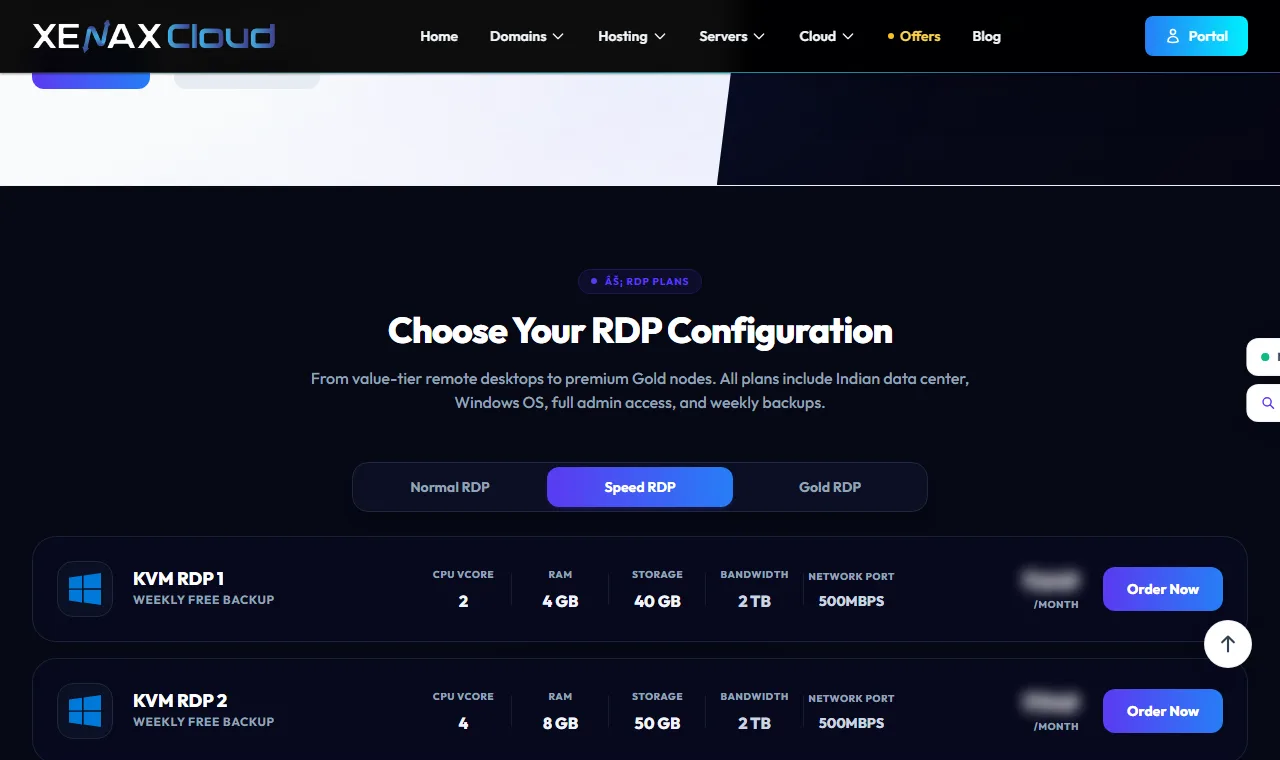
For most small offices, the VDI server requirements land on a Xenax Cloud Windows RDP plan with 8 to 16 GB RAM on SSD; size from a one-week pilot, then move up a plan only when Task Manager shows you need it.